How this was checked
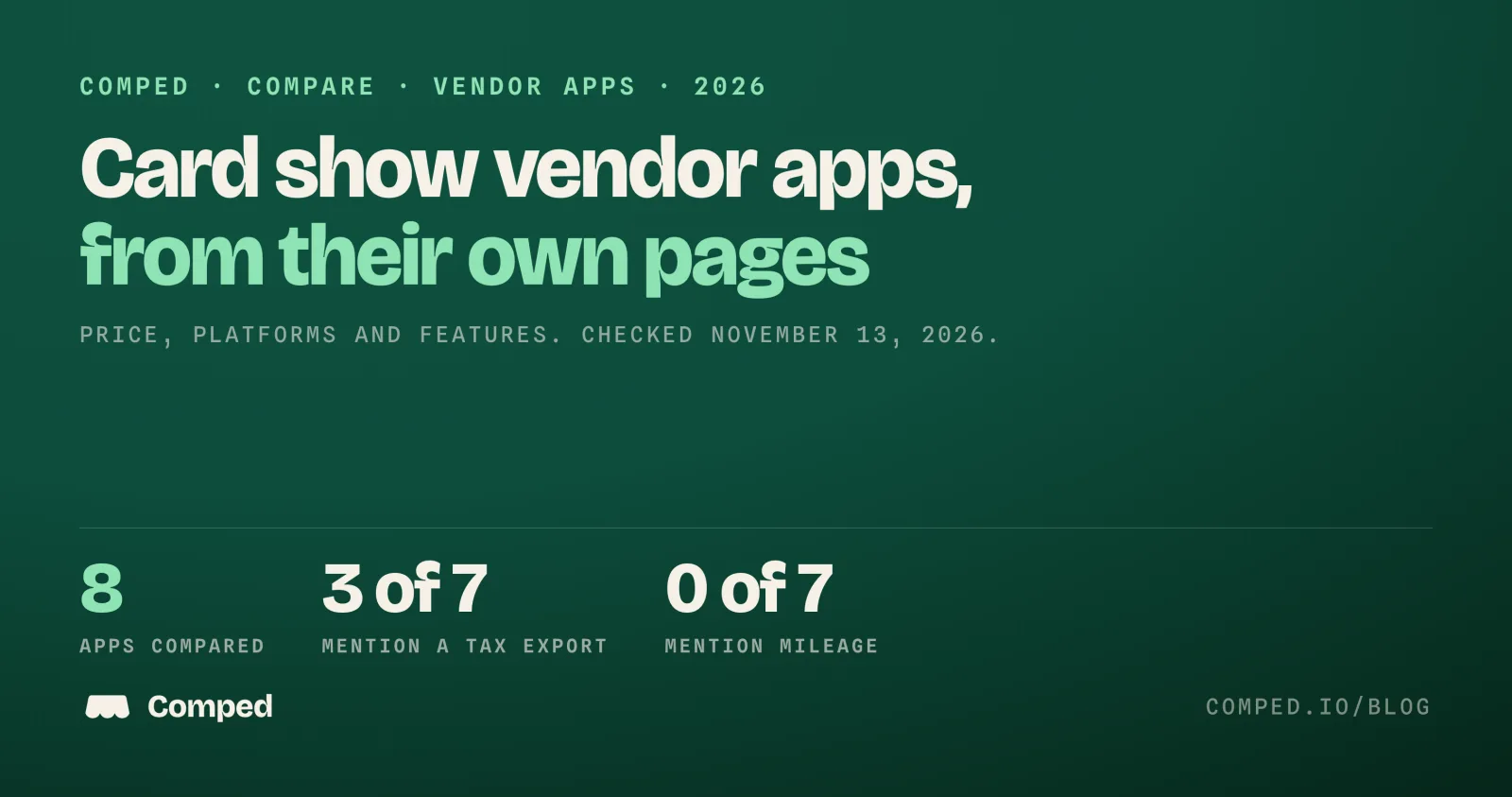
Each row below states only what the product's own website or App Store page said on November 13, 2026. We did not install or test the other apps. "Not mentioned" means the words were not on the page we read. It does not mean the app lacks the feature.
Comped is our app, so read our row with that in mind. Its row describes version 1.2.2 of the app, and its limits are in the same tables as everyone else's.
We searched for "best app for card show vendors" and the related phrases before writing this. No independent review of these apps turned up. The results were App Store listings and each maker's own landing page, which is why this page quotes those pages directly and links every one.
Prices change. Each product name links to the page we read, so you can check it yourself before you pay for anything.
Price and platforms
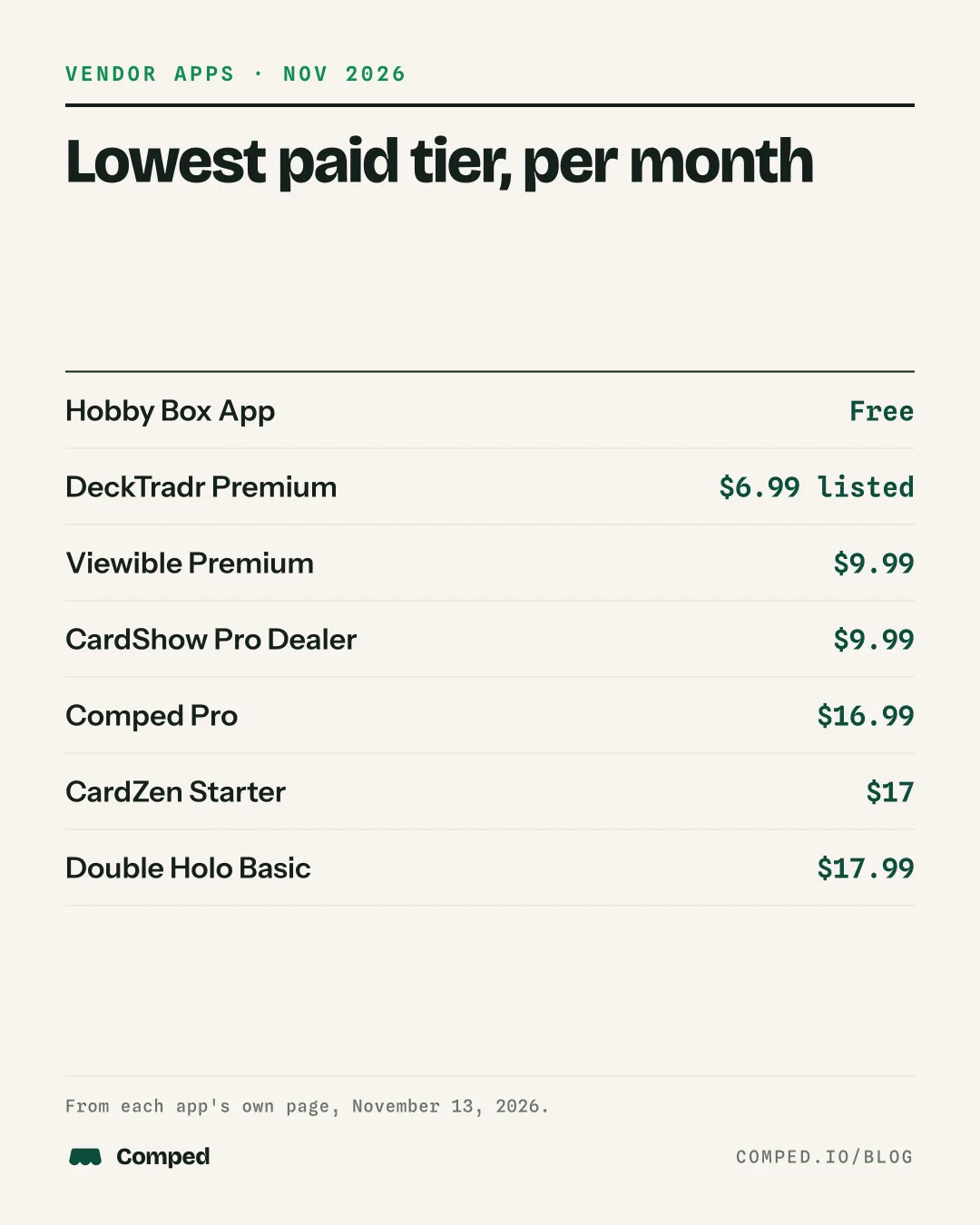
Prices run from free to $79.99 a month. Four of the eight are listed for iPhone or iPad only, and two name Android.
| App | Price on its page | Platforms on its page |
|---|---|---|
| Comped | Free with 5 card scans a week. Pro $16.99 a month or $99 a year. | iPhone only. No Android, no web app. |
| Double Holo Vendor Hub | Vendor Free $0, up to 50 active items and 1 seat. Basic $17.99 a month or $169.99 a year. Pro $44.99 a month or $349.99 a year. Business $79.99 a month or $599.99 a year. The page calls these Founding Vendor prices for the first 12 months. | Web, App Store and Google Play |
| ShowLedger | No price list. The page says "$0 subscription fees" and "Notify Me at Launch". | "Coming to the App Store", with an iPad layout. Not released on the day we checked. |
| CardZen | Starter $17 a month with 1,000 scans. Pro $30 a month with 2,500 scans. Free trial of 15 scans or 14 days. | Log in at app.cardzen.io. The page says it runs from your phone and names no app store. |
| DeckTradr | Free download. In-app purchases listed: Premium $6.99, Pro $24.99, Pro $199.99. | iPhone and iPad. A Google Play listing also exists. |
| Viewible | Free for the first 10 cards, then a subscription. Premium $9.99 a month or $79.99 a year, with a 1 month free trial. | iPhone and iPad |
| CardShow Pro | Free for up to 10 cards, with a 7 day trial of the paid tiers. Collector $4.99 a month or $39.99 a year. Dealer $9.99 a month or $79.99 a year. | iPhone and iPad |
| Hobby Box App | Free. No in-app purchases listed. | iPhone only |
All pages checked November 13, 2026. Prices are in US dollars from the US App Store or the product's own site.
Free plans and cost per year
Two of the eight are free with no paid tier or no price list, and the lowest yearly price stated among the rest is $39.99. A monthly price hides the yearly bill, so this table puts each free limit beside the cheapest way to pay for a year.
| App | What is free, on its page | Lowest paid plan for a year, on its page |
|---|---|---|
| Comped | 5 card scans a week, plus buys, sales, trades, inventory, write-offs and the tax export | Pro $99 a year. Paid monthly, 12 months at $16.99 is $203.88. |
| Double Holo Vendor Hub | Vendor Free: up to 50 active items and 1 seat | Basic $169.99 a year at the Founding Vendor price |
| ShowLedger | "$0 subscription fees". Not released on the day we checked. | No price list |
| CardZen | A trial of 15 scans or 14 days | No yearly price on its page. Starter at $17 a month is $204 over 12 months. |
| DeckTradr | "Free to start". Limits are not stated on its page. | In-app purchases of $6.99, $24.99 and $199.99. The page does not say which is monthly or yearly. |
| Viewible | The first 10 cards, then a 1 month trial | Premium $79.99 a year |
| CardShow Pro | Up to 10 cards, plus a 7 day trial of the paid tiers | Collector $39.99 a year. Dealer $79.99 a year. |
| Hobby Box App | The whole app. No in-app purchases listed. | $0 |
The 12 month figures for Comped and CardZen are our arithmetic from the monthly price on each page. Everything else is quoted from the pages linked above, checked November 13, 2026.
What each page mentions
Six of the seven other pages describe inventory, and five describe logging sales at the table. The table quotes or paraphrases each page for six things a vendor needs from a show app.
| App | Inventory | Sales at the table | Cost per card | Expenses and mileage | 1099-K or tax reports | Sales tax |
|---|---|---|---|---|---|---|
| Comped | Yes, each card with its cost and market value | Yes, records a cash sale. Does not take card payments. | Yes | Yes, write-offs by category, including table and show fees, travel and mileage, grading fees and supplies. Mileage is typed as an amount, not worked out from miles. | "Export taxes": a CSV for the year with a Schedule C style summary, then every sale, card bought and write-off. A running tax set-aside. Does not file a return. | Not a feature. No sales tax field. |
| Double Holo Vendor Hub | Yes | Yes, "the free POS for card shows", with a log of every buy, sell and trade | Yes, "Live value vs. cost basis" | Table fees and expenses per show. Mileage not mentioned on its site. | "Tax season in one click": accounting exports on paid plans, with "Cost basis included". 1099-K not mentioned on its site. | Not mentioned on its site |
| ShowLedger | Yes, tag-based | Yes, "One-Tap Sale Entry" | Yes, cost basis by grading tier | "Fixed costs" in its profit view. Mileage not mentioned on its site. | Not mentioned on its site. Session summary or CSV export. | Not mentioned on its site |
| CardZen | Yes | A table sale screen is not mentioned on its site. The page mentions card shows and describes listing to eBay. | Yes, a cost on every card and net profit after fees | Not mentioned on its site | Not mentioned on its site | Not mentioned on its site |
| DeckTradr | Yes, with unrealized profit and loss | Yes, a "point-of-sale system built for TCG vendors" | Profit and loss, yes. Cost per card is not named in the description. | Expense tracking. Mileage not mentioned on its page. | Not mentioned on its page. Transaction export to CSV and Excel. | Not mentioned on its page |
| Viewible | Yes | Not mentioned on its page. The page describes listing cards from inventory. | Yes, costs "from grading to profit" | Grading fees and supplies, plus fees and shipping costs pulled in from eBay. Mileage not mentioned on its page. | "Excel / CSV exports for taxes, accounting, or personal record keeping". 1099-K not mentioned on its page. | Not mentioned on its page |
| CardShow Pro | Yes, with cost basis, ask price and comp value | Yes, Table Mode for sales and trades | Yes, "cost basis" | "Log expenses and show costs". Mileage not mentioned on its page. | "Tax Export" on the Dealer tier. 1099-K not mentioned on its page. | Not mentioned on its page |
| Hobby Box App | Not mentioned on its page | Yes, logs sales, trades, percentage buyouts and split payments, and takes card payments through HobbyPay | Not mentioned on its page | Not mentioned on its page | Not mentioned on its page. A spreadsheet of your deals after the show. | Not mentioned on its page |
If you would rather start on paper, the card show inventory sheet has the same columns for one show: cost, sticker price, lowest price and what sold.
Trades
Six of the seven other pages describe recording a trade, and Comped has a Trade screen. Trades matter at a show because a card swapped for a card is still a sale of the one you gave. Under IRS Tax Topic 420, the fair market value of what you receive in a barter is income.
| App | What its page says about trades |
|---|---|
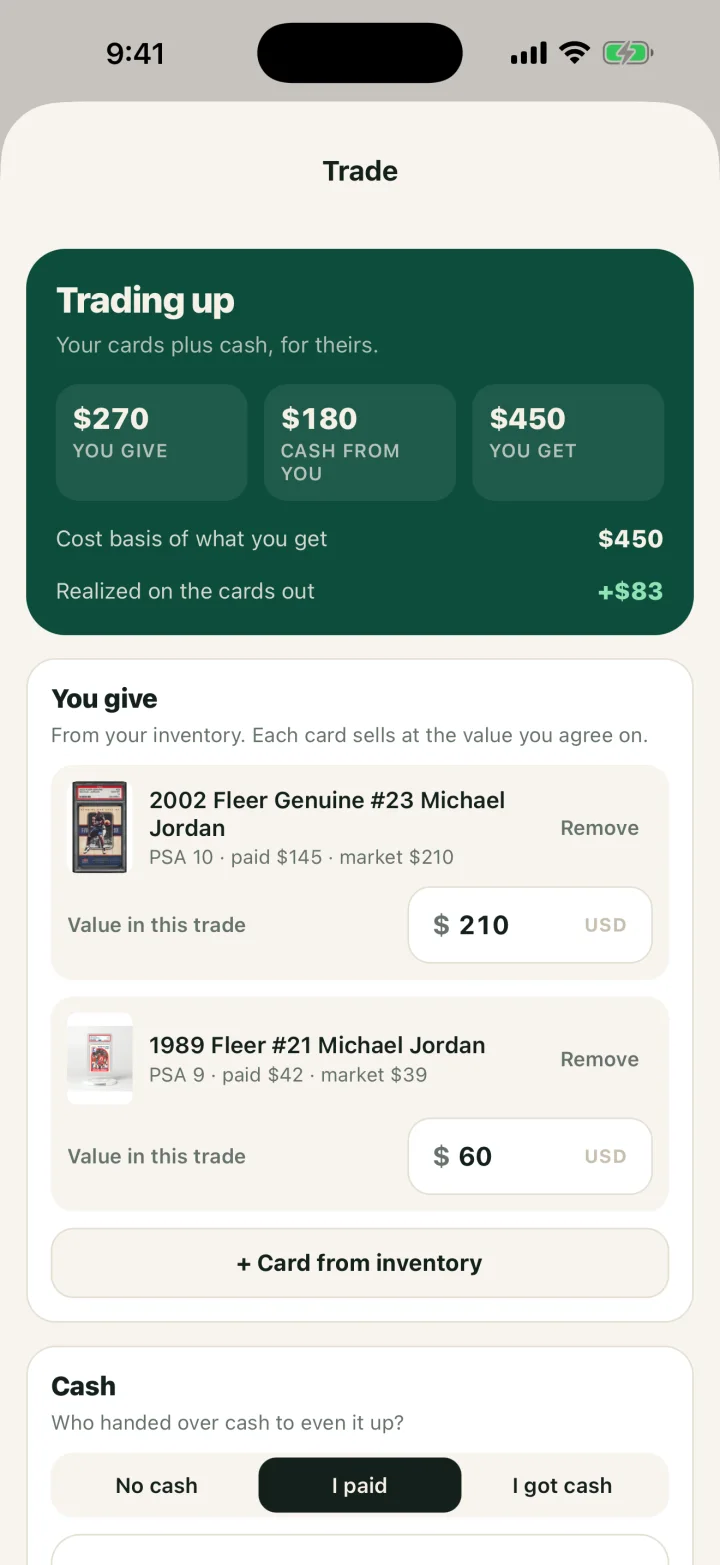
| Comped | A Trade screen takes the cards you give from inventory, cash either way and the cards you get. It shows the cost basis of what you receive and the gain or loss on the cards going out. |
| Double Holo Vendor Hub | A log of every buy, sell and trade |
| ShowLedger | A Trade Tracker with "Simple or detailed trade entry" |
| CardZen | Recording a trade is not mentioned on its site. "Trade nights" appears in a list of places cards come from. |
| DeckTradr | "Buy, sell, and trade workflows with instant price lookups" |
| Viewible | "Log cards traded away, cards received, and any cash given or received" |
| CardShow Pro | Table Mode for sales and trades, and Trade Tracking on the Collector tier |
| Hobby Box App | Logs trades, percentage buyouts and split payments |
Only Comped's row says what happens to cost basis, because that is the only one we could check in the app itself. Ask the others how a trade changes the cost of the card you receive. To price a swap before you agree to it, the free card trade calculator works on any phone.
Taxes, mileage and sales tax
Three of the seven other pages mention a tax or accounting export: Double Holo Vendor Hub, Viewible and CardShow Pro. None of the seven mentions mileage, the 1099-K or sales tax.
That matters at a show because nobody reports a cash sale for you. A Form 1099-K covers payment apps and marketplaces, not cash at a table, and you owe tax on the profit either way. Your own record is the only record.
Comped's difference is that the record you make at the table is also the tax record. It keeps each card's cost, logs table fees, travel and mileage as write-offs, shows a running tax set-aside of 25% of realized profit, and exports the year as a CSV for a preparer. It does not file a return, and it does not compute, record or file sales tax. The card show vendor tax checklist lists what a preparer asks for, whichever app you use.
A LIMIT OF THIS PAGE
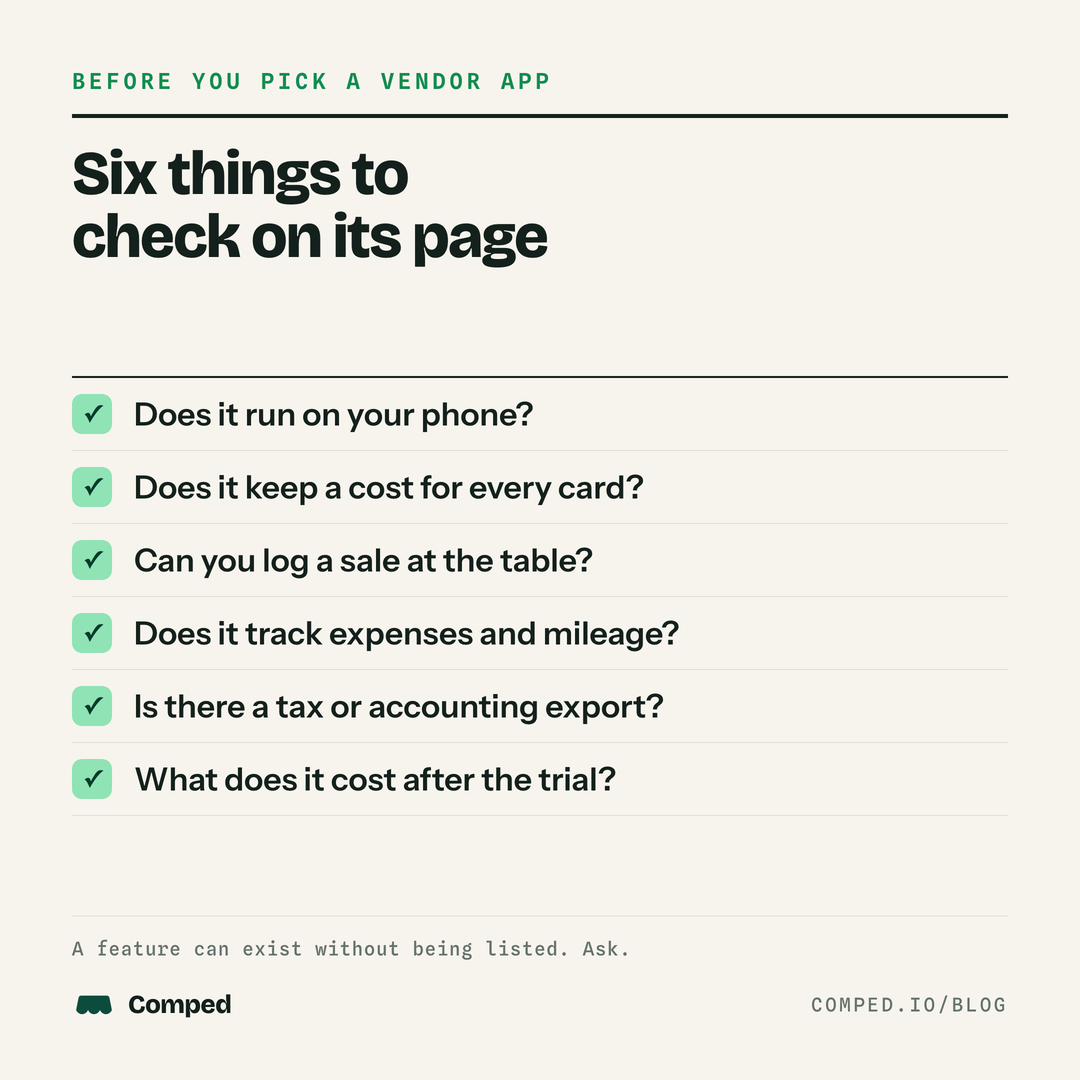
A feature can exist without being on a product's page. If mileage, a tax export or sales tax matters to you, ask the developer before you subscribe.
How to choose
Start from the one thing you cannot work without, then check the price. This table sorts the eight by need, using only what each page says.
| If you need | Pages that say so | Note |
|---|---|---|
| An Android phone | Double Holo Vendor Hub, DeckTradr | Comped is iPhone only. |
| Card payments at the table | Hobby Box App, through HobbyPay | Comped takes no card payments. It records the sale. |
| A tax or accounting export | Double Holo Vendor Hub on paid plans, Viewible, CardShow Pro on the Dealer tier, Comped on the free plan | An export is a file for you or a preparer. None of these pages says the app files a return. |
| Trades with cash on either side | Comped, Viewible | Double Holo, ShowLedger, DeckTradr, CardShow Pro and Hobby Box mention trades. Their pages do not spell out how cash is handled. |
| Write-offs by category and mileage | Comped | Five other pages mention expenses. None mentions mileage. |
| eBay or Shopify listing | Double Holo Vendor Hub, DeckTradr, CardZen for eBay | Comped has no listing sync. |
| Seats for helpers | Double Holo Vendor Hub | Comped has no team accounts. |
| To pay nothing | Hobby Box App, Double Holo Vendor Free up to 50 items, Comped with 5 scans a week | Check the free limit against how many cards you bring. |
| Sales tax worked out for you | None of the eight | See the card show sales tax index for the state's rule. |
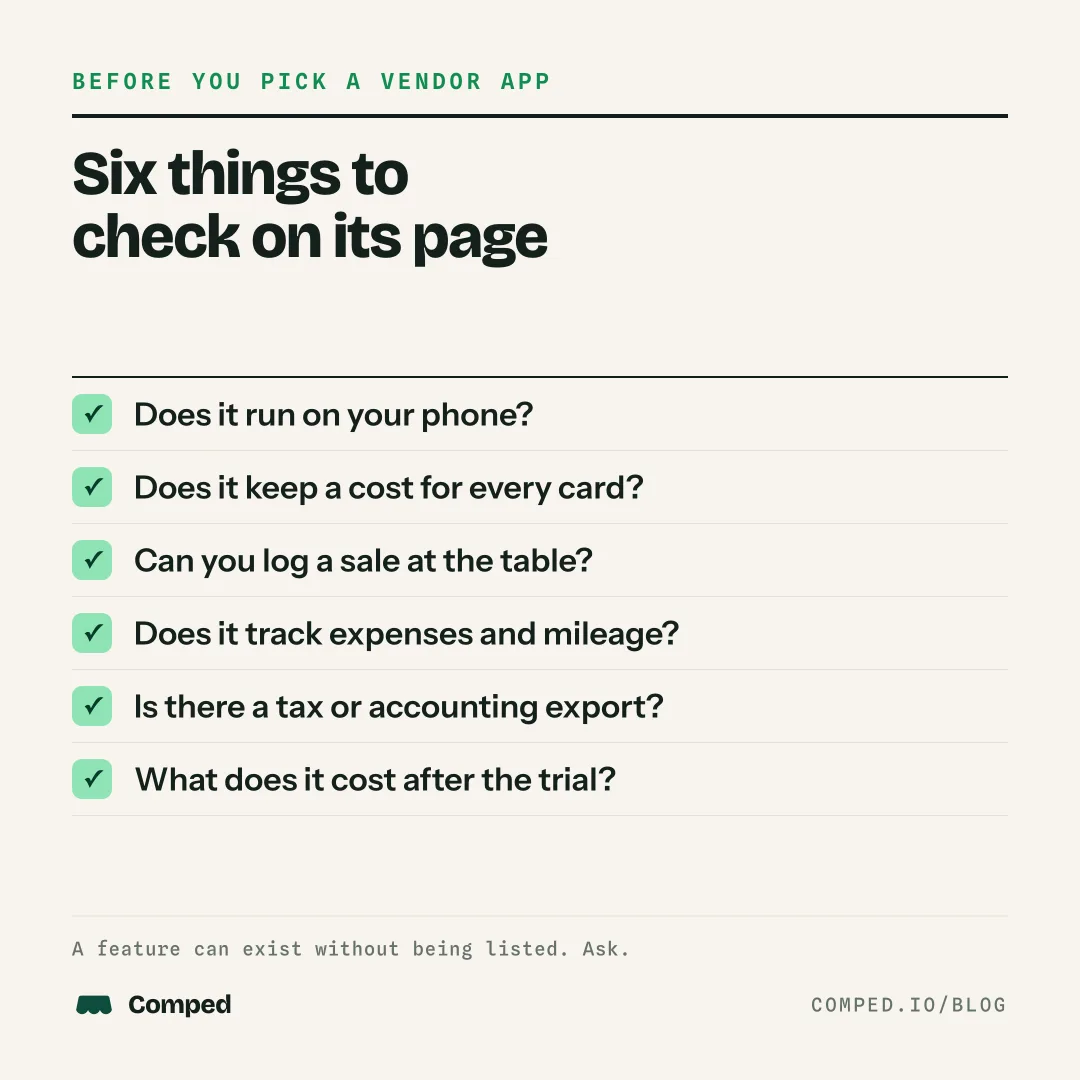
Then test it before a show, not at one. Enter five cards you own with what you paid, record one sale and one trade, and look at what the app shows for profit. If it cannot show the cost of a card you got in a trade, your year-end numbers will need fixing by hand.
Who each app suits
The right app depends on your phone, where you sell and what you need at year end. Going by what each page says:
- Double Holo Vendor Hub suits a vendor who wants inventory, price labels, repricing rules and eBay or Shopify sync, on the web and on either phone platform, with seats for helpers.
- ShowLedger suits a vendor who wants an iPad at the table and can wait. It had not launched when we checked.
- CardZen suits a seller whose sales are mostly eBay listings and who wants cost and profit tied to each card.
- DeckTradr suits a trading card game vendor who wants a point of sale on iPhone or iPad. It also has a Google Play listing.
- Viewible suits a flipper who tracks grading costs through to a sale and wants a spreadsheet export.
- CardShow Pro suits a seller on iPhone or iPad who wants a table mode and a tax export at $9.99 a month.
- Hobby Box App suits a vendor who wants a free deal log and card payments.
- Comped suits a part-time dealer on iPhone who wants to scan a card, see a price from recent sales, record the buy, sale or trade with its cost, and hand a preparer one file at year end.
For price lookup and collection apps instead of vendor tools, see CollX, Ludex or Card Ladder for dealers.
What Comped looks like
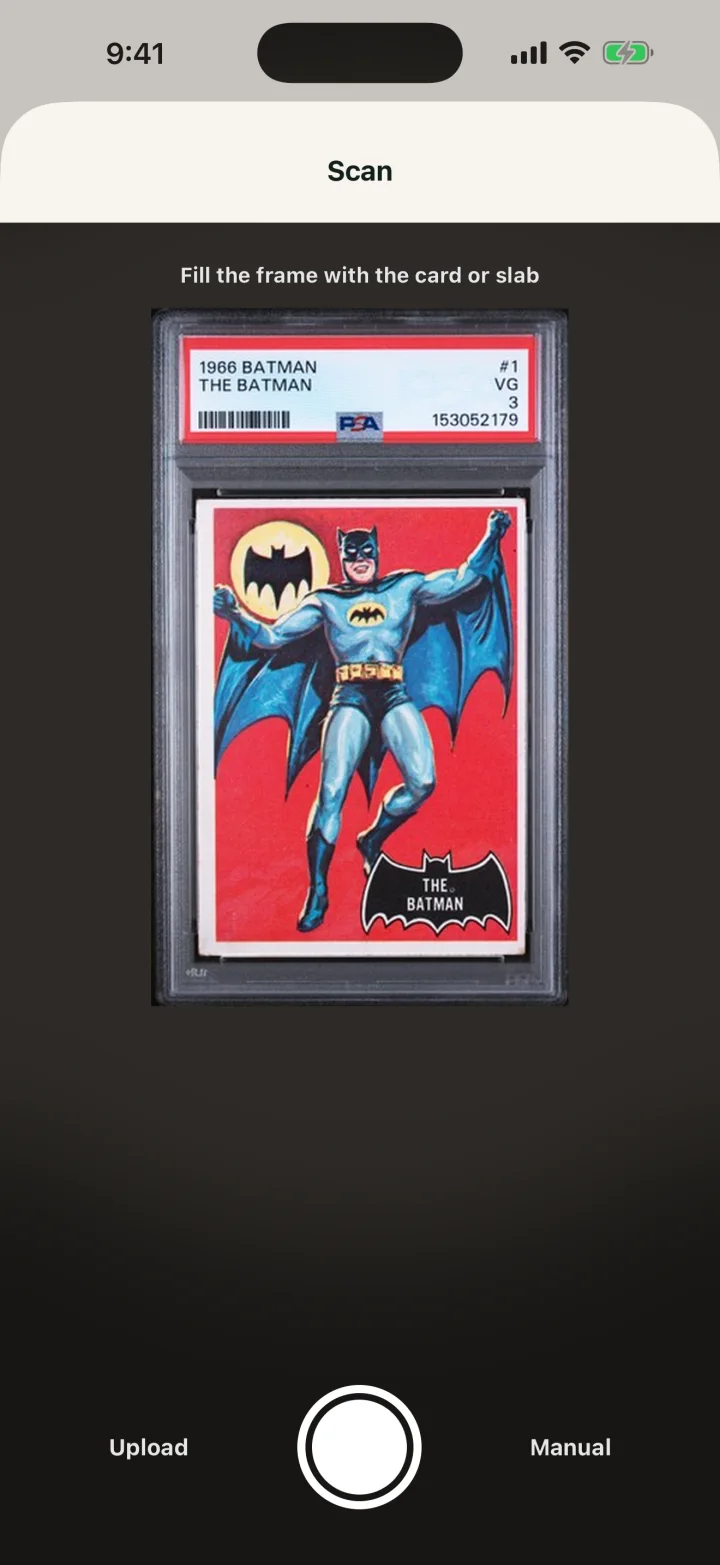
These are captures of the current app with demo data. A deal starts with the camera. Scan a card or slab, or upload a photo or type it in, and the app names the card and shows a market value from recent sales. The Trade screen takes what you give, the cash and what you get, then shows the cost basis of the new card and the gain or loss on the cards going out.
A sale is broken down to true profit: the price, the fees, shipping, what hit the bank and the card's cost, including a card given in trade. The Money tab totals realized profit for the year, shows the set-aside estimate and holds the Export taxes button.
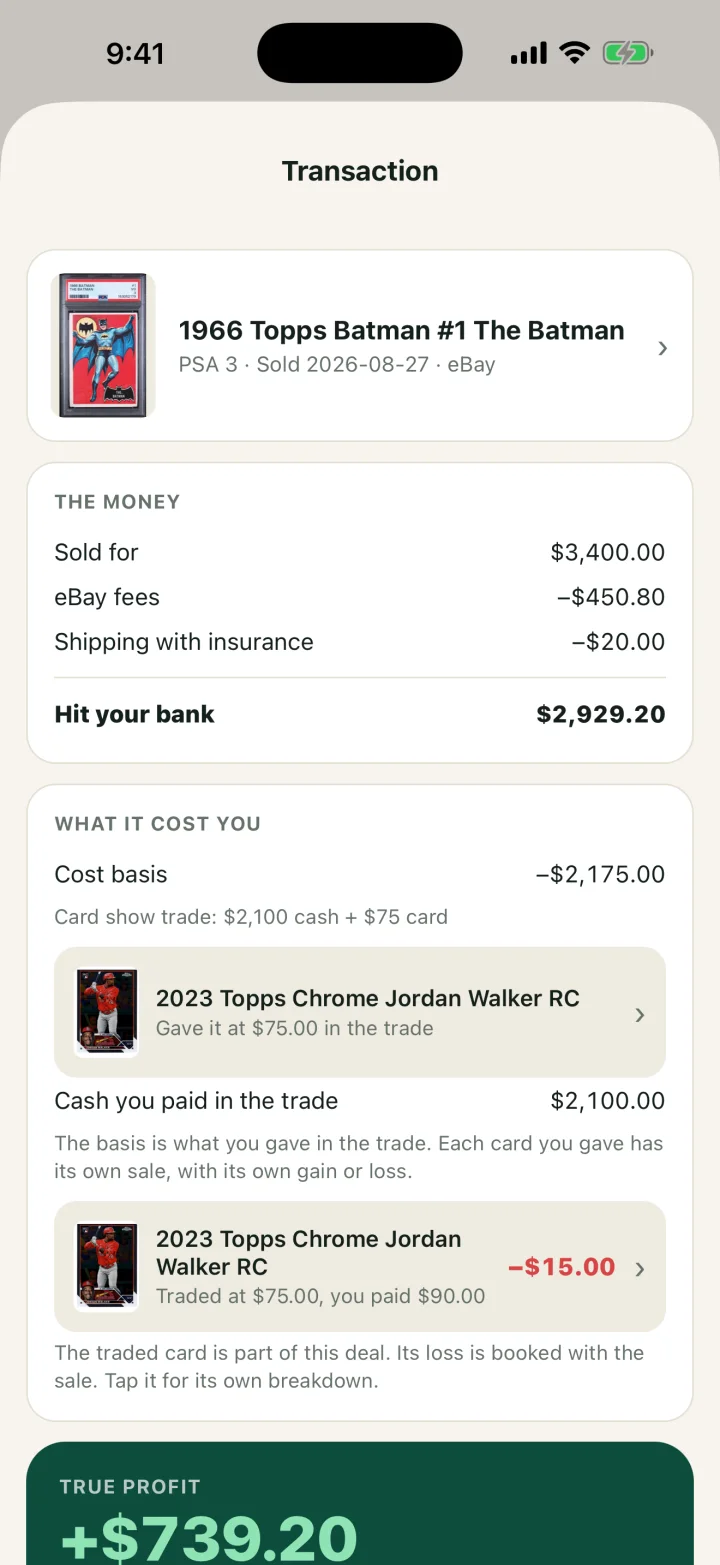
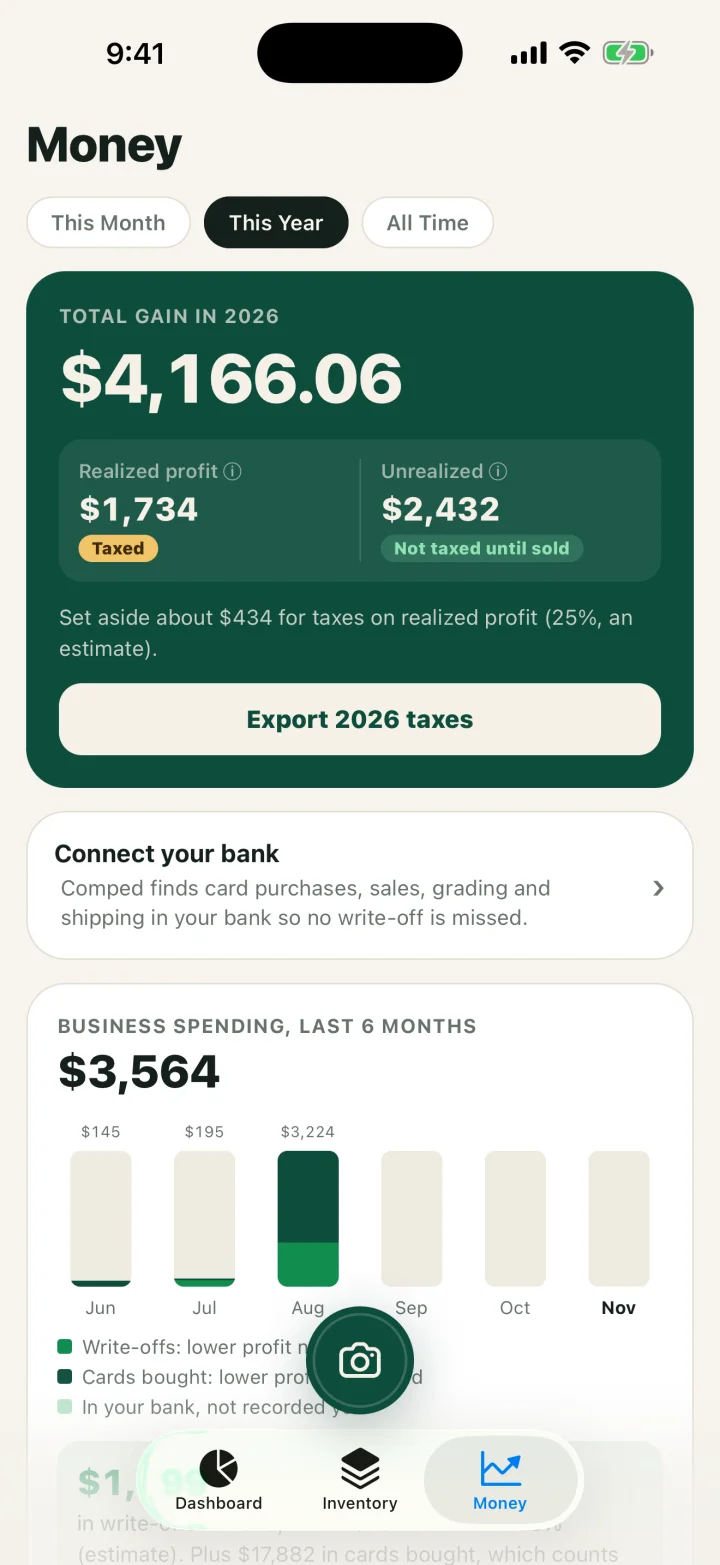
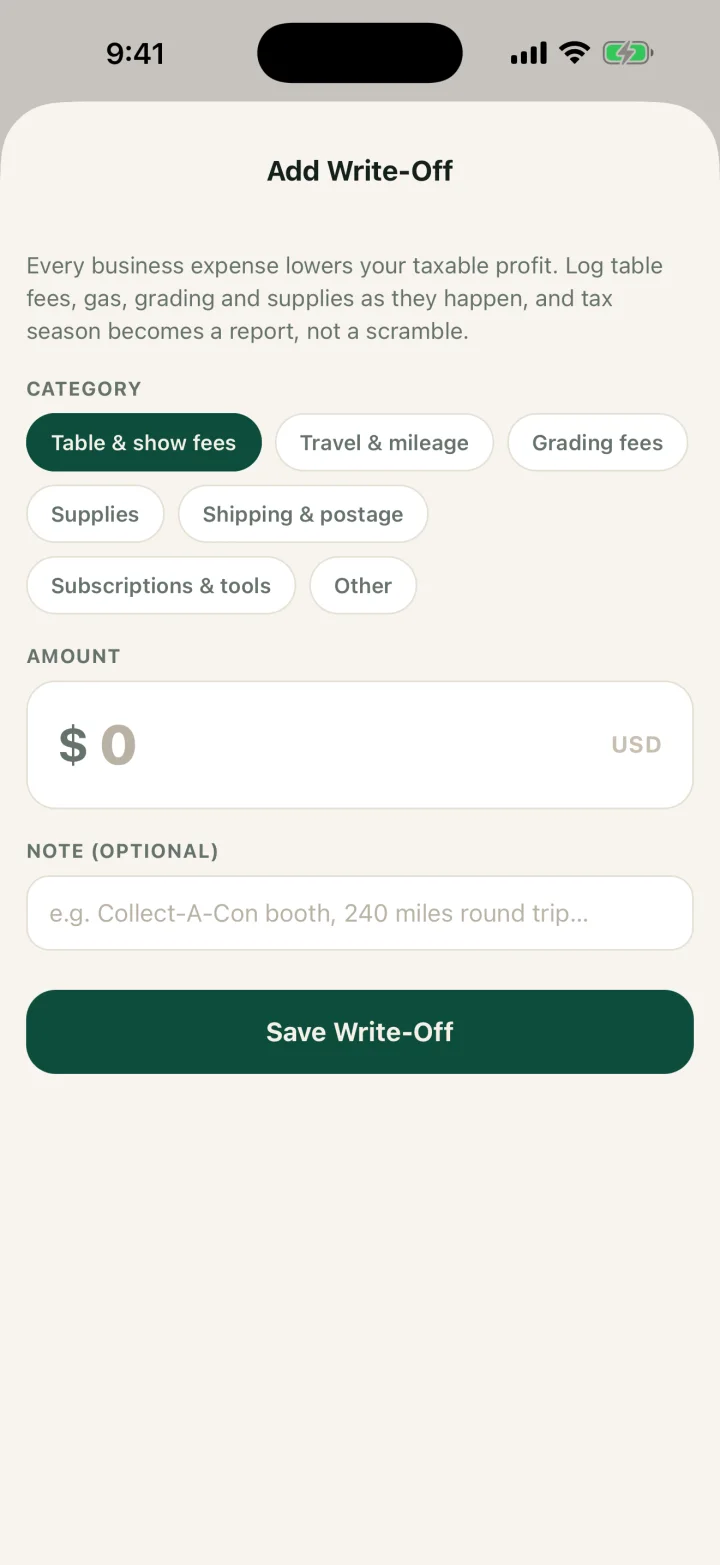
Table fees, travel, grading and supplies go in as write-offs by category, so they come off profit in the same export.
What Comped does not do
Comped is narrower than several apps above. Check this list against how you sell.
- iPhone only. There is no Android app and no web app.
- The free plan scans 5 cards a week. Unlimited scans and the bank feed need Pro.
- No card payments. It records the sale; you take the money however you already do.
- No sales tax. It does not compute it, has no field for tax collected, and does not file it.
- Mileage is typed as a dollar amount with a note. The app does not multiply miles by the IRS rate.
- The export is a CSV for you or a preparer. It does not prepare or file a return.
- No eBay or Shopify listing sync and no label printing.
- No team accounts.
- No receipts emailed to buyers.
The card show vendor app page covers what Comped records in detail.
An app or a spreadsheet
A spreadsheet is enough if you will fill it in the same day, every show. It costs nothing, runs on any phone or laptop, and a preparer can read it. An app earns its price when the entry happens at the table in seconds, because a deal you meant to type up later is the one that goes missing.
If you want to start free, these three files cover a show from the table to the tax return:
- The card show inventory sheet: what you brought, what sold and what you bought, on 2 printed pages.
- The card show cash and trade log: a timed row for every deal and a cash count at the close.
- The card inventory and profit spreadsheet: every card from purchase to sale, with the Schedule C cost of goods sold lines.
Whatever you pick, how to track card show sales lists the facts each record needs.
Three other vendor tools turned up in our searches and are not compared here: VendBro, CardSeeker and CardLogx. We did not review their pages closely enough to put them in the tables.
Related guides
- Card show vendor app: what Comped records at the table.
- CollX, Ludex or Card Ladder for dealers: the price and collection apps, compared the same way.
- How to track card show sales: the record to keep, on paper or in an app.
FAQ
What is the best app for card show vendors?
It depends on your phone and what you need at year end. Double Holo Vendor Hub and DeckTradr list Android. Hobby Box takes card payments. Comped is iPhone only and keeps each card's cost, your write-offs and a tax export with the deals you record at the table.
Is there a free card show vendor app?
Hobby Box App is listed as free with no in-app purchases. Double Holo's Vendor Free plan is $0 for up to 50 active items. Comped's free plan includes 5 scans a week, every record and the tax export. Viewible and CardShow Pro are free for the first 10 cards.
Which card show vendor apps work on Android?
Double Holo Vendor Hub lists Google Play, and DeckTradr has a Google Play listing. Comped is iPhone only. The other pages we read on November 13, 2026 list iPhone or iPad, or name no app store.
What is the best Pokemon vendor app?
DeckTradr's page describes a point of sale built for trading card game vendors, and Double Holo's page names TCG vendors. Comped records Pokemon cards, raw or graded, the same way as sports cards.
Which vendor apps record trades?
Six of the seven other pages describe recording a trade. CardZen's page does not. Comped has a Trade screen that takes the cards you give, cash either way and the cards you get, and shows the cost basis of what you receive.
Which apps have a tax export?
Double Holo Vendor Hub lists accounting exports on paid plans, Viewible lists Excel and CSV exports for taxes, and CardShow Pro lists a Tax Export on its Dealer tier. Comped exports a CSV for the year on the free plan. None of them files a return.
Do any of these apps handle sales tax at a show?
None of the seven other pages mentions sales tax, and Comped does not compute, record or file it. Sales tax on table sales is the seller's own job, so write it down apart from the sale price.
Is a spreadsheet enough instead of an app?
Yes, if you fill it in the same day. A spreadsheet needs a row per card with its cost, the sale price, the fees and the date. An app saves the typing at the table. Free templates for both the show and the year are linked on this page.
SOURCES
- Vendor Hub, Double Holo, checked November 13, 2026.
- ShowLedger, checked November 13, 2026.
- CardZen, checked November 13, 2026.
- DeckTradr, App Store, and its Google Play listing, checked November 13, 2026.
- Viewible: Sports Cards and TCG, App Store, checked November 13, 2026.
- CardShow Pro: Seller Tools, App Store, checked November 13, 2026.
- Hobby Box App, App Store, checked November 13, 2026.
- Understanding your Form 1099-K, IRS, checked November 2026.
- Topic no. 420, Bartering income, IRS, checked November 2026.
This is general information for card sellers, not tax or legal advice for your situation. Rules change and states differ; a CPA who knows your numbers wins every time.